
TECHNOLOGY
See the tools behind the school.
See what learners build, how instructors prepare, what parents can follow and how the school team manages the day.
TECHNOLOGY IN USE
See a school day from the operator's perspective.
Follow a learner from enquiry to a project they can explain. See how teaching guides, participation, attendance and parent updates support the people running the school.
Parent app
Communication
Show parents what their child is learning.
Lesson updates, questions to ask at home, attendance and teacher notes make progress easier to discuss.
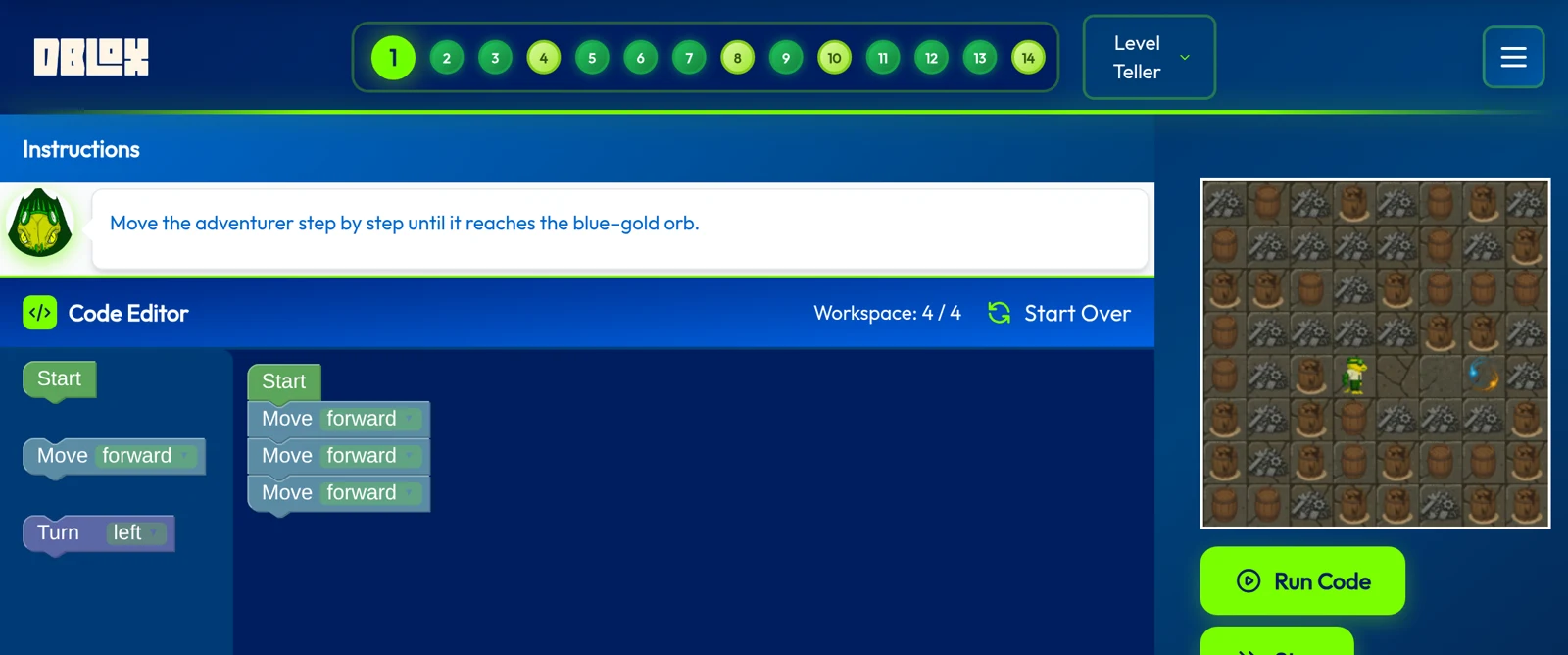
DBlox
Learning
Turn ideas into working code.
Students practise programming through interactive tasks and challenges.
DSOS
School operations
See the school behind every class.
Follow classes, attendance and school activity so your team can review the context and take action.
Product demonstrations from Digital School. Features and access are confirmed in your partnership package.
How it comes together in a school day.
01
A new student starts
DSOS
The local team follows up the enquiry, considers age and prior experience, and uses placement to identify a suitable class.
02
An instructor prepares
Curriculum and learning management system
A lesson-by-lesson guide sets the teaching sequence. Practical tasks, extension challenges and assessment criteria help the instructor prepare for different learning paces.
03
Learning becomes visible
DBlox
A DBlox task gives the learner something to build and test. The instructor reviews the work and asks the learner to explain their approach.
04
Learners contribute to a shared goal
Houses
Missions turn practice into contribution. Learners earn points for their house, while teacher-awarded badges recognise participation and progress.
05
The school notices a problem
DSOS
Attendance records and class information give the school team a basis for follow-up. Instructors review the context and decide when a learner needs attention.
06
Parents stay informed
Parent app
Lesson information and questions to ask at home help parents understand what their child is learning. Attendance, assignments and teacher notes add context to that progress.
07
The team is administered
AveHR
Staff records, attendance and leave give the owner a central process for workforce administration.
PRODUCT ROLES
Tools for each role in your school.
Students, instructors, families and school managers use different tools for different tasks. This guide connects each product to its day-to-day purpose.
DBlox
Learning
- Who uses it
- Students and instructors
- Typical task
- Work through programming tasks and build a solution that applies the lesson’s concepts.
Houses
Participation and motivation
- Who uses it
- Students and the school team
- Typical task
- Complete missions at different challenge levels, contribute points to a shared house and follow teacher-awarded badges.
Parent app
Family communication
- Who uses it
- Parents and the school team
- Typical task
- See what a lesson covered, use questions to discuss it at home and follow attendance, assignments and teacher notes.
DSOS
School operations and insight
- Who uses it
- School managers and instructors
- Typical task
- Follow enrolment, classes and attendance. Review alerts and decide what action the school should take.
Learning management system
Teaching structure
- Who uses it
- Instructors
- Typical task
- Prepare from the lesson guide, choose extension challenges and review work against assessment criteria. Use the same guide to observe classroom delivery.
AveHR
Workforce administration
- Who uses it
- School managers and administrators
- Typical task
- Maintain staff records and manage attendance, leave and scheduling in a separate workforce product. Access is specified in your package.
Access for your school
Your proposal identifies the products, user access, support and charges for your centre. Standalone software licensing is a separate conversation from opening a franchise.
ACCESS AND CONTINUITY
Plan how the tools will work in your school.
The product demonstrations show tasks and interfaces. Your software scope also needs to cover who can use each tool, the support available and how school data is managed.
Access and setup
- Confirm the products, user roles and licences in your package
- Check available languages and the configuration your school needs
- Identify the support contact, channels and response arrangements
Data, migration and continuity
- Set out access to student, family and staff information
- Assess any records you need to bring from an existing system
- Review data-processing terms, service continuity and access when an agreement ends
Request a walkthrough.
Explore the learner, instructor, parent and school-team views using demonstration data. Tell us which workflow you want to understand and who else needs to review it with you.